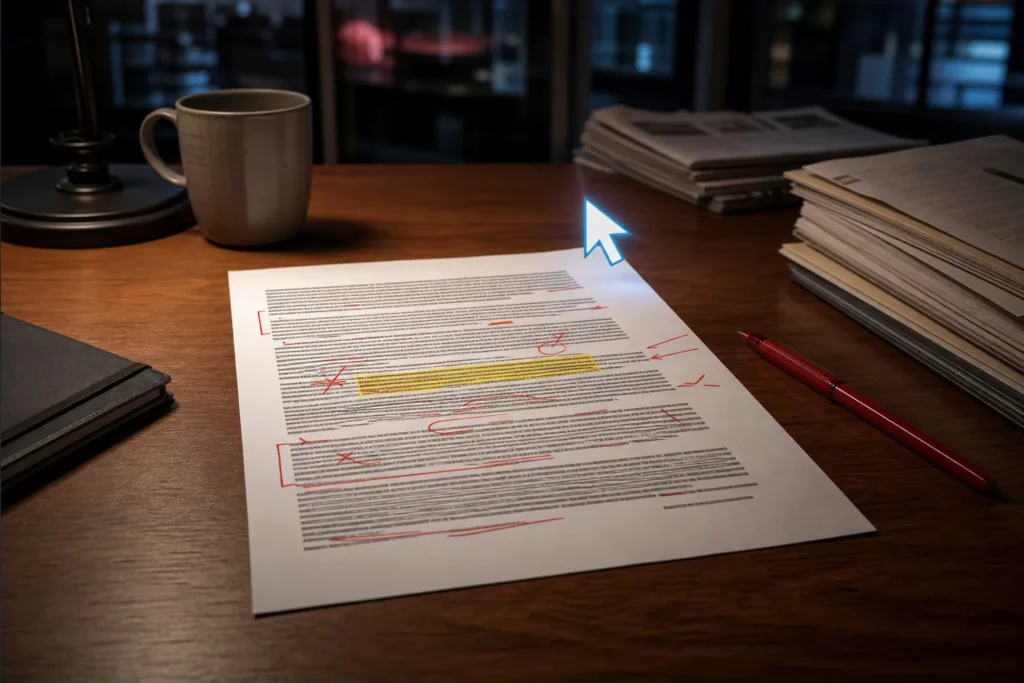
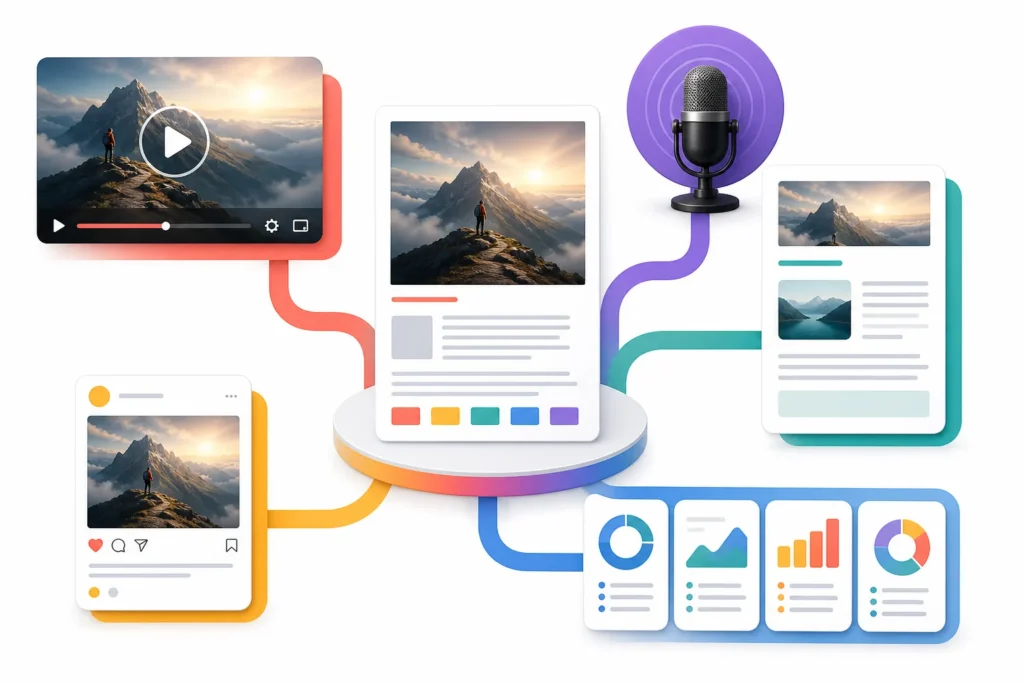
Content Systems Desk covers editing and managing AI-assisted written content for marketers, bloggers, founders, agencies, and content teams.
7 stories
·
0 followers

YouTube Automation 2027: What to Outsource (And What You Should Do Yourself)

2 Comments and 3 Shares
From: aitoolswithmike
Duration: 6:00
Views: 89

YouTube Automation 2027: What to Outsource and What to Do Yourself - FREE hire-or-keep map: https://digispheresl.com/free-v01-hire-or-keep-map
#youtubeautomation #facelessyoutube #youtubegrowth

Starting a faceless YouTube channel in 2027 doesn't mean you should outsource everything. In this video, you'll learn how to build a YouTube automation production system while keeping control of the decisions that make your channel original.

We break down research, script writing, voiceovers, visuals, video editing, thumbnail design, and channel administration. You'll also see which YouTube automation services make sense to outsource first when you're working with a limited budget.

The goal is simple: outsource the production bottlenecks while keeping control of your channel's strategy, topics, and final content.

đź”— YouTube Automation Resources
Need help with one part of your production workflow? Compare specialists instead of automatically hiring one person to handle the entire channel.

🔎 Compare YouTube Research Services:https://digispheresl.com/go/topic-research

✍️ Compare YouTube Script Writers:https://digispheresl.com/go/script-writing

🎙️ Compare YouTube Voice Over Services:https://digispheresl.com/go/voice-over

🎬 Compare YouTube Video Editors:https://digispheresl.com/go/video-editing

🖼️ Compare YouTube Thumbnail Designers:https://digispheresl.com/go/thumbnail-design

⚙️ Compare Complete YouTube Automation Services:https://digispheresl.com/go/youtube-automation

Before hiring: Compare what's included, revision limits, portfolios, pricing, and whether you're paying for one video, a bundle, or an ongoing package. Consider testing a smaller project before committing to a large monthly package.

⏱️ Chapters

00:00 YouTube Automation in 2027
01:06 How YouTube Automation Works
01:32 Outsourcing YouTube Research
02:01 YouTube Script Writing & AI
02:32 Voice Overs & AI Video
03:01 Outsourcing YouTube Video Editing
03:24 Thumbnails & Channel Management
03:45 What Should You Outsource First?
04:19 Finding YouTube Automation Services on Fiverr
05:03 Best YouTube Automation Setup for 2027

👍 If this helped you plan your faceless YouTube channel, like the video and subscribe.

#youtubeautomation #facelessyoutube #youtubeautomation2027 #youtubegrowth #facelesschannel #youtubetips

YouTube Automation 2027: What to Outsource (And What You Should Do Yourself)

Next video: The policy checklist to run before paying anyone to build your faceless YouTube channel.

Read the whole story
regtechconf
15 hours ago
reply
United Kingdom
Share this story
Delete
2 public comments
pattirrowell
16 hours ago
reply
thank you
Torrance, CA 90503
johncpleasant
17 hours ago
reply
thank you
Maryland, United States

Don't let your editor hack your channel #securitytips #youtubetips

10 Comments and 12 Shares
From: aitoolswithmike
Duration: 0:20
Views: 89

Standardize your publishing process to delegate repetitive tasks like descriptions, chapters, scheduling, and basic checks. Use appropriate account permissions wisely.

đź”— Watch the full video: https://youtu.be/bAAIuolVXxY

Standardize your YouTube upload workflow to safely delegate repetitive tasks without risking your primary Google account.

Most creators struggle to scale because they manually handle every step of publishing. By creating a standardized publishing process, you can delegate time-consuming tasks like writing descriptions, setting up end screens, managing chapters, and scheduling videos. This allows you to focus on high-level strategy while maintaining control over your content.

When you start to outsource YouTube tasks, security is the priority. Never share your primary login credentials. Instead, use appropriate account permissions to give team members access only to what they need, keeping your channel safe while you grow your production pipeline.

Subscribe for weekly workflow breakdowns, and comment below on which part of your upload process you find most tedious.

#ThumbnailDesign #YouTubeGrowth #ContentCreation #PublishingTips

Read the whole story
popular
1 hour ago
reply
regtechconf
15 hours ago
reply
United Kingdom
Share this story
Delete
10 public comments
JamesCHamby
28 minutes ago
reply
thank you
Kent, Ohio 44242
SophiaPatel
42 minutes ago
reply
thank you
United States
ArthurPendelton
53 minutes ago
reply
thank you
Maryland, United States
JulianThorne
1 hour ago
reply
thank you
Torrance, CA 90503
JessicaJDiaz
1 hour ago
reply
thank you
PHOENIX, Arizona 85004
BruceJCraig
1 hour ago
reply
thank you
Maryland, United States
LashondaJClark
2 hours ago
reply
thank you
LOS ANGELES, CA 90004
pattirrowell
16 hours ago
reply
thank you
Torrance, CA 90503
johncpleasant
17 hours ago
reply
thank you
Maryland, United States
marcusmthorne
18 hours ago
reply
thank you
Torrance, CA 90503

AI Content Editing Mistakes That Let Bad Content Through

1 Share

AI Content Editing Mistakes That Let Bad Content Through include trusting confident prose, overlooking repetition and generic structure, accepting unsupported citations, and skipping specialist review. Independent verification matters: across six investigations, approximately 51% of analyzed citations were fabricated. Editors should separate developmental editing, copyediting, fact-checking, source validation, and accountable human approval.

  • A technical manuscript of about 45,000 words contained phrases repeated verbatim across chapters.
  • Nearly 80% of references in one manuscript were reported as fabricated or nonexistent.
  • Approximately 51% of citations across six investigations were reported as fabricated.
  • Reported fabricated-citation rates were 55% for GPT-3.5 and about 18% for GPT-4.
  • Lightweight review is insufficient for technical instructions, compliance training, policies, regulated content, and information affecting important decisions.

AI Content Editing Mistakes That Let Bad Content Through: What editing mistakes allow AI-generated drafts with factual errors, repetition, or fabricated citations to be published?

AI Content Editing Mistakes That Let Bad Content Through begin when a confident draft is treated as accurate: AI-generated content can remain generic, outdated, inaccurate, or weakly sourced while appearing complete. AI Content Editing Mistakes That Let Bad Content Through also include overlooking repetitive phrasing, the rule of three, cliché introductions, frequent em dashes, flat sentence rhythm, and generic openings.

Developmental editing should remove redundant sections and organize content around a distinct purpose and user journey. Copyediting alone can miss meaning-changing errors; one account reports that both a copy editor and automated tools missed the substitution of “SmartBump” for “StreetBump”. AI Content Editing Mistakes That Let Bad Content Through remain possible even when formatting is consistent and prose is polished: one technical manuscript contained verbatim repetition across chapters, while another editor’s account reported nearly 80% fabricated or nonexistent references. The supplied evidence gives no editing-rate, turnaround-time, or AI-detection-limit figures.

AI Content Editing Mistakes That Let Bad Content Through: What editing mistakes allow AI-generated drafts with factual

Click to view the AI Content Editing Mistakes That Let Bad Content Through.

What criteria should editors use to decide whether an AI draft needs revision or should be rejected?

AI Content Editing Mistakes That Let Bad Content Through are less likely when you classify a draft by factual accuracy, originality, clarity, source quality, user impact, and need for specialist review. AI Content Editing Mistakes That Let Bad Content Through should lead to revision when duplicate ideas, weak organization, unsupported claims, or imprecise wording can be corrected without changing the draft’s purpose.

Outcome Use when Ownership
Publish Required checks pass and claims are supported Accountable final approver
Revise Correctable weaknesses remain Editor plus validator or specialist
Reject The material is generic enough to delete or important information remains weak Editor and accountable approver

AI Content Editing Mistakes That Let Bad Content Through should not be judged by origin alone: verification priority should follow possible effects on accuracy, reproducibility, interpretation, and important decisions. Lightweight review is insufficient for technical instructions, policies, regulated content, compliance training, or information affecting important decisions. No numeric scoring thresholds are supplied.

What criteria should editors use to decide whether an AI draft needs revision or should be rejected?

Which claims, statistics, quotations, and sources in AI-written content need independent verification before publication?

AI Content Editing Mistakes That Let Bad Content Through require independent checks for every statistic, percentage, date, market figure, legal or regulatory reference, product detail, feature claim, definition, recommendation, quotation, study, and named source. AI Content Editing Mistakes That Let Bad Content Through are especially hard to see when a number was not supplied by an underlying document, so editors should highlight every number and attach a linked or documented source.

For each source, verify existence, authority, date or version, and whether the source actually supports the claim. Check every citation against its primary source; quotations and legal authorities require direct comparison with the original decision or document. A real source can still be misleading if its text doesn't support the claim.

AI Content Editing Mistakes That Let Bad Content Through are illustrated by six investigations in which approximately 51% of citations were fabricated; reported fabricated-citation rates were 55% for GPT-3.5 and about 18% for GPT-4. AI-generated references should never be cited. The five-minute traceability rule is a source-specific workflow recommendation, not a universal fact.

Which claims, statistics, quotations, and sources in AI-written content need independent verification before publication?

What review steps can catch hallucinations, plagiarism, bias, and unsupported advice before AI content goes live?

AI Content Editing Mistakes That Let Bad Content Through are best addressed through separate editorial and fact-checking passes. AI Content Editing Mistakes That Let Bad Content Through can be reduced with the following workflow:

  1. Preserve the original draft and identify substantive AI assistance.
  2. Separate content-and-voice editing from fact-checking, flagging each claim provisionally.
  3. Identify claims, citations, and technical explanations newly introduced by AI.
  4. Verify sources, numbers, quotations, and interpretations against reliable material.
  5. Check fabrication, plagiarism, false citations, scientific quality, originality, rigor, and ethical compliance.
  6. Review uncertainty, causal qualifications, and absolute wording such as “always,” “best,” “safe,” “guaranteed,” and “proven”.
  7. Compare revisions deliberately, because AI can silently alter party roles, occupations, amounts, dates, procedural posture, or the document version it uses.
  8. Document accepted revisions, unresolved questions, ownership, and approval.

AI Content Editing Mistakes That Let Bad Content Through cannot be cleared by automation alone: automated checks and a second AI system may support review, but neither supplies final approval or independent human scientific judgment. The supplied evidence doesn't provide tested procedures for bias, inclusivity, accessibility, culturally sensitive language, or post-publication monitoring; those need separate standards.

What review steps can catch hallucinations, plagiarism, bias, and unsupported advice before AI content goes live?

How can editors check that AI-written content answers search intent rather than merely repeating target keywords?

AI Content Editing Mistakes That Let Bad Content Through include keyword-first writing that contains target terms without solving the problem behind a search. AI Content Editing Mistakes That Let Bad Content Through also produce generic, broad-topic pages when the draft follows a subject rather than the questions and tasks that matter to readers.

Start the brief by identifying what users want to know, do, or compare, then build sections around the query’s decision points. Ask whether each section has a distinct purpose, contributes to a clear user journey, and answers the reader’s task instead of repeating keywords.

AI Content Editing Mistakes That Let Bad Content Through are less likely when related keywords appear naturally and the format matches the intent rather than serving as filler. For a before-and-after edit, change a broad introduction into a direct answer, then organize the rest around decisions the reader must make; do not claim improved rankings, search visibility in AI answers, long-tail performance, or conversions, because the supplied evidence doesn't measure those outcomes. Useful, original, brand-appropriate editing remains the quality goal.

AI Content Editing Mistakes That Let Bad Content Through

Discover more about the AI Content Editing Mistakes That Let Bad Content Through.

What risks arise when AI-generated medical, financial, or legal content is published without review by a qualified expert?

AI Content Editing Mistakes That Let Bad Content Through create particular risk in medical, financial, and legal material because expert or YMYL content may use AI for research, structure, or drafting, while important claims still require reliable-source checks and qualified review. AI Content Editing Mistakes That Let Bad Content Through should trigger escalation, not optional polish, when a question requires specialized knowledge.

An authoritative tone doesn't establish accuracy. Legal examples include completely fabricated case citations, real cases used for propositions they don't support, and plausible quotations that require comparison with the primary decision. One account reported nearly 80% fabricated or nonexistent manuscript references, and another reported that courts sanctioned dozens of lawyers for similar AI-generated errors in the relevant period.

AI Content Editing Mistakes That Let Bad Content Through can also arise through omission: targeted AI research may leave out contrary authority, useful material in unread opinions, or lines of authority traditional research would have found. The supplied evidence provides no medical, financial, or legal harm rates, liability rules, or universal expert-approval timeframe.

How can a team estimate the human review time needed for AI content based on its subject matter, length, and publication risk?

AI Content Editing Mistakes That Let Bad Content Through should determine review depth, but the supplied evidence provides no validated time formula or minutes-per-word rate. AI Content Editing Mistakes That Let Bad Content Through should therefore be planned by subject matter, length, factual density, source complexity, and publication risk rather than by an invented turnaround estimate.

Risk category Workflow Time estimate
Low Editorial review, claim inventory, source checks, final approval Unavailable from supplied evidence
Medium Editorial review plus source validation and specialist escalation as needed Unavailable from supplied evidence
High Editorial, source, specialist, legal or compliance, and accountable final review Unavailable from supplied evidence

AI Content Editing Mistakes That Let Bad Content Through deserve deeper review for technical instructions, compliance training, policies, regulated content, and information affecting important decisions. Treat every number, citation, quotation, named source, instruction, and newly introduced technical explanation as a verification task. Content Systems Desk can use a documented workflow covering provenance, accepted revisions, substantive AI assistance, reviewer ownership, escalation, and final accountability. Assign separate owners for editorial review, source validation, specialist review, legal or compliance review, and final approval.

Learn more about the AI Content Editing Mistakes That Let Bad Content Through here.

Reported citation problems and figures across contexts (compiled from sources)
Evidence context Citation problem Reported figure
In one editor’s account the references in a manuscript were fabricated or nonexistent nearly 80%
Across six investigations analyzed citations were fabricated approximately 51% of analyzed citations
AI editing citation errors that attribute a claim to an unsupported source —
Outcome Use when Ownership
Publish Required checks pass and claims are supported Accountable final approver
Revise Correctable weaknesses remain Editor plus validator or specialist
Reject The material is generic enough to delete or important information remains weak Editor and accountable approver

Key Takeaways

  • Separate developmental editing, copyediting, fact-checking, and specialist review instead of treating polished prose as proof of accuracy.
  • Highlight every number, quotation, named source, citation, instruction, and newly introduced technical explanation for verification.
  • Use publish, revise, or reject outcomes based on evidence quality, user impact, organization, and specialist-review needs.
  • Compare AI revisions with the original because roles, dates, amounts, procedural posture, and document versions can change silently.
  • Document provenance, accepted revisions, reviewer ownership, escalation, and final accountability.

Frequently Asked Questions

What are some common mistakes made by AI?

Common AI mistakes include generic or inaccurate claims, invented statistics, fake citations, outdated recommendations, incorrect definitions, repetition, and oversimplified advice. An authoritative tone doesn't establish accuracy.

What are some of the funniest AI blunders?

The supplied evidence doesn't identify the funniest AI blunders. It does report serious examples, including verbatim repetition across a technical manuscript and fabricated or nonexistent references.

What is an example of unethical AI?

A fabricated case citation is one example of unethical AI use when published as authoritative material. The supplied evidence also reports sanctions involving AI-generated errors in legal work.

What are some examples of bad AI responses?

Examples of bad AI responses include invented statistics, fake citations, outdated recommendations, incorrect definitions, and oversimplified advice. Real sources can also be misrepresented as supporting claims they don't support.


<a href="https://regtechconf.com" rel="nofollow">https://regtechconf.com</a>
via Content Systems Desk <a href="https://regtechconf.com/ai-content-editing-mistakes-that-let-bad-content-through/?utm_source=rss&utm_medium=rss&utm_campaign=ai-content-editing-mistakes-that-let-bad-content-through" rel="nofollow">https://regtechconf.com/ai-content-editing-mistakes-that-let-bad-content-through/?utm_source=rss&utm_medium=rss&utm_campaign=ai-content-editing-mistakes-that-let-bad-content-through</a> October 19, 2026 at 07:05AM
Read the whole story
regtechconf
1 day ago
reply
United Kingdom
Share this story
Delete

Content Repurposing Mistakes That Waste Your Best Material

1 Share

Content repurposing means adapting existing content into channel-specific formats, while unchanged reposting repeats the same asset. Canva and Buffer are cited for visual adaptation and scheduling, and one reported “1 = rule” expands a winning insight into assets. Content Repurposing Mistakes That Waste Your Best Material are mainly caused by ignoring audience, platform, measurement, and review needs.

  • Content repurposing adapts existing content across formats and platforms.
  • A reported 94% of marketers repurpose content across channels and formats.
  • One winning insight was described as becoming assets under the “1 = rule”.
  • Turning a carousel into an infographic was reported to take minutes.
  • Canva is recommended for visual adaptations and Buffer for social media scheduling.

What does content repurposing mean, and how is it different from reposting the same asset unchanged?

Content repurposing means adapting existing content across different formats and platforms, while unchanged reposting simply repeats the same asset. Content Repurposing Mistakes That Waste Your Best Material begins with confusing those two activities. Content Repurposing Mistakes That Waste Your Best Material are easier to avoid when you treat adaptation as a deliberate editorial process. The phrase Content Repurposing Mistakes That Waste Your Best Material describes the waste created when distribution replaces useful transformation.

Strategic repurposing multiplies one content asset into many assets. Pierre Herubel describes an “extend” process as an alternative to a “cut” process, which frames repurposing as expanding an idea rather than merely trimming it.

The available evidence supports treating the original asset as a central source for a content marketing strategy and content lifecycle, but it doesn’t provide formal definitions of “master content” or “content lifecycle.” Even so, the scale is clear: 94% of marketers reportedly repurpose content across channels and formats.

What does content repurposing mean, and how is it different from reposting the same asset unchanged?

Which performance metrics and content characteristics should you use to decide what is worth repurposing?

Choose repurposing candidates by combining a defined campaign objective, measurement plan, historical performance, and audience evidence before production begins. Content Repurposing Mistakes That Waste Your Best Material often start with selecting a topic only because it is convenient. Content Repurposing Mistakes That Waste Your Best Material also result when performance is treated as the only test. The phrase Content Repurposing Mistakes That Waste Your Best Material is a useful reminder to assess both results and relevance.

Review older material that performed well, then update it with new information or trends. Check audience needs through social listening, polls, and keyword analysis. Also consider what your audience cares about, where people spend time online, and which content they engage with.

Performance alone can mislead. Margaret Magnarelli says Monster’s analytics showed that its audience wanted job-search help rather than macro labor-market trends. That evidence supports selecting evergreen topics, key insights, and content ideas only when they match demonstrated audience needs or performance; the ledger supplies no separate test for “evergreen” content.

Which performance metrics and content characteristics should you use to decide what is worth repurposing?

What are the Content Repurposing Mistakes That Waste Your Best Material?

Posting identical content everywhere wastes strong material because different networks have different cultures, users, behaviours, and formats. Content Repurposing Mistakes That Waste Your Best Material include cross-posting without adapting the platform or audience. Content Repurposing Mistakes That Waste Your Best Material also include treating one-size-fits-all social content as a distribution strategy. Avoiding Content Repurposing Mistakes That Waste Your Best Material requires editorial decisions for every channel.

  • Unchanged posts may suit no network particularly well because social platforms reward different styles, rhythms, and engagement approaches.
  • Content without platform context can appear tone-deaf, and a poorly timed post can be screenshotted and reshared almost immediately.
  • Inconsistent messaging and an unclear brand voice can confuse followers and weaken brand identity.
  • Ignoring comments, messages, and feedback can damage follower relationships and reduce interest.

Publishing more isn’t automatically better: Jason Schemmel says publishing less while focusing on quality and audience connection made his numbers rise. Check original performance before adapting, track which versions perform best, and leverage one quality asset rather than producing many mediocre ones.

What are the Content Repurposing Mistakes That Waste Your Best Material?

What step-by-step process turns one source asset into channel-specific versions while preserving its core message?

A planned repurposing system turns one strong source asset into channel-specific versions without losing its central message. Content Repurposing Mistakes That Waste Your Best Material happen when adaptation begins after production without a destination in mind. Content Repurposing Mistakes That Waste Your Best Material are less likely when you map formats before writing. The phrase Content Repurposing Mistakes That Waste Your Best Material also covers losing the source’s key insight during expansion.

  1. Choose a strong source asset and identify its central message and key insights.
  2. Map versions to audience needs and buyer-journey stages: a social post can support awareness, a landing page consideration, and a case study decision.
  3. Adapt the format, then review whether every version preserves the intended message.
  4. Schedule each version in a content calendar and measure the results; calendars help plan ahead and scheduling tools support consistency.

Herubel’s “1 = rule” expands one winning insight into a carousel, infographic, newsletter, blog article, video, five short videos, and five additional posts. His master-content process can support a three-month marketing campaign from one central content piece. Blog subheadings can become video talking points, with bullet points beneath each heading to keep the recording on track.

What step-by-step process turns one source asset into channel-specific versions while preserving its core message?

What formats and platform specifications should you account for when adapting a single piece of content across channels?

Format selection should follow audience preference and platform expectations: some people prefer in-depth blogs, while others prefer short infographics. Content Repurposing Mistakes That Waste Your Best Material include forcing one format into every channel. Content Repurposing Mistakes That Waste Your Best Material also arise when native features and audience expectations are ignored. The phrase Content Repurposing Mistakes That Waste Your Best Material is especially relevant to short-form video and social distribution.

A blog can become social snippets, statistic-led posts, takeaways, follow-ups, guest posts, infographics, video scripts, signup offers, ebooks, and presentations. A blog’s key points can also become an infographic for visual audiences on platforms such as Pinterest or LinkedIn. LinkedIn carousels are multi-slide visual posts suited to step-by-step processes and lists.

Video specifications differ. A video accompanying a blog post may be to seconds, general Facebook guidance is 60–90 seconds, and Instagram Stories has a 15-second video limit; the source describes IGTV videos as ranging from a few minutes to an hour. Transcripts can support search visibility and sound-off viewing, while native uploads are recommended instead of sharing video links. Tailor tone, stories, live sessions, hashtags, captions, transcripts, alt text, readable design, and permissions where relevant; the evidence directly supports platform tailoring and native features, but not separate accessibility or rights requirements.

Content Repurposing Mistakes That Waste Your Best Material

How do the time and production costs of adapting content compare with creating new material or reposting it unchanged?

Repurposing can require less conceptualising and research than creating something entirely new because it reuses existing work. Content Repurposing Mistakes That Waste Your Best Material include reposting without adding value. Content Repurposing Mistakes That Waste Your Best Material also include assuming every adaptation has the same production cost. The phrase Content Repurposing Mistakes That Waste Your Best Material points to a resource problem, not a fixed price.

Andy Crestodina says updating an older article can often produce better results than writing a new one. One reported example says turning a carousel into an infographic takes minutes. Another system turns four original ideas into at least content pieces, while one estimate puts repurposed writing at about one hour per week.

Approach What the evidence supports Monetary cost
Unchanged reposting Repeats the same asset and may fail to fit the channel or audience Unknown
Adapted repurposing Reuses existing work and may save time and resources Unknown
Creating new material Requires new conceptualising and research Unknown

No complete cost model or price range is available in the evidence. Spinutech reports potential gains in traffic, engagement, SEO value, time, and resources, but those outcomes aren’t guaranteed.

Which metrics show whether repurposed content is generating reach, engagement, and conversions on each channel?

Measure each adapted asset against a channel-specific plan covering reach, engagement, conversions, impressions, click-through rates, and audience behaviour. Content Repurposing Mistakes That Waste Your Best Material include publishing versions without defining success. Content Repurposing Mistakes That Waste Your Best Material also include judging every channel by the same KPI. The phrase Content Repurposing Mistakes That Waste Your Best Material is avoidable when each version has a comparison point.

Channel Adapted asset Primary KPI Supporting KPI Comparison point
Social channel Social post or carousel Reach Engagement and impressions Original asset
Video channel Short-form video Audience behaviour Engagement and reach Original content
Conversion channel Landing page or signup offer Conversions Click-through rate Original content

The ledger provides no channel-specific benchmark values, so compare every adapted version with the original and track which repurposed pieces perform best. Success can mature from shareability to content quality and distribution, then to lead generation and social selling. Social listening can add mentions, competitor activity, and emerging trends. Attribution remains a measurement question here because no attribution methodology is provided.

Which content repurposing tools can automate adaptation and scheduling, and how do their features and prices compare?

Canva is recommended for creating carousels and image versions of text posts, while Buffer is recommended for social media scheduling. Content Repurposing Mistakes That Waste Your Best Material include buying or configuring tools before defining the workflow. Content Repurposing Mistakes That Waste Your Best Material also include expecting automation to replace editorial judgement. The phrase Content Repurposing Mistakes That Waste Your Best Material matters when choosing between visual adaptation and distribution needs.

Tool or tool category Visual adaptation Scheduling Analytics Platform distribution
Canva Carousels and image versions of text posts Not specified Not specified Not specified
Buffer Not specified Social media scheduling Not specified Not specified
Social media management tools Not specified Scheduling can support consistency Can track performance over time Can help balance paid and organic efforts

Plan posts with a content calendar and schedule them regularly; one recommendation is to aim for 2–3 posts a week. Prices, plan limits, AI adaptation features, and current integrations are unknown from the available evidence. Content Systems Desk’s stated focus includes AI-assisted editing, fact-checking, human review, content repurposing, and automated content workflows; the ledger doesn’t provide unsupported product claims about those capabilities.

See the Content Repurposing Mistakes That Waste Your Best Material in detail.

Video lengths by format (seconds/minutes) (compiled from sources)
Video format Length
Facebook video 60–90 seconds
Instagram Stories video 15-second video limit
IGTV video a few minutes to an hour
Video accompanying a blog post 30- to 60-second video
Approach What the evidence supports Monetary cost
Unchanged reposting Repeats the same asset and may fail to fit the channel or audience Unknown
Adapted repurposing Reuses existing work and may save time and resources Unknown
Creating new material Requires new conceptualising and research Unknown

Key Takeaways

  • Define the campaign objective and measurement approach before production.
  • Choose source material using both historical performance and audience evidence.
  • Adapt format, tone, and native features for each platform instead of cross-posting unchanged.
  • Compare every adapted asset with the original and track the strongest versions.
  • Treat tool prices, plan limits, AI features, and integrations as unknown unless verified.

Frequently Asked Questions

What are the C's of content creation?

The available evidence doesn’t define five specific “C’s” of content creation. It does support setting an objective, measuring performance, using audience feedback, and adapting content to platforms.

What are some common marketing mistakes?

Common mistakes include posting identical content across platforms, ignoring audience feedback, using inconsistent messaging, and repurposing without checking the original performance.

What does it mean to repurpose content?

Content repurposing means adapting existing content into different formats for different platforms rather than reposting the same asset unchanged. The approach can strategically multiply one piece into many assets.

What are the main types of content?

The available evidence doesn’t list seven main types of content. It does identify formats including blog articles, social posts, infographics, video scripts, signup offers, ebooks, presentations, and newsletters.


<a href="https://regtechconf.com" rel="nofollow">https://regtechconf.com</a>
via Content Systems Desk <a href="https://regtechconf.com/content-repurposing-mistakes-that-waste-your-best-material/?utm_source=rss&utm_medium=rss&utm_campaign=content-repurposing-mistakes-that-waste-your-best-material" rel="nofollow">https://regtechconf.com/content-repurposing-mistakes-that-waste-your-best-material/?utm_source=rss&utm_medium=rss&utm_campaign=content-repurposing-mistakes-that-waste-your-best-material</a> October 18, 2026 at 07:02PM
Read the whole story
regtechconf
2 days ago
reply
United Kingdom
Share this story
Delete

SEO Content Mistakes That Keep Pages From Ranking

1 Share

SEO Content Mistakes That Keep Pages from Ranking usually involve mismatched search intent, weak on-page signals, thin or duplicate content, broken links, and crawling or indexing blockers. Check queries that dropped at least five positions over days, then inspect canonical URLs, robots directives, metadata, internal links, content quality, and performance metrics before prioritizing fixes.

  • Inaccurate canonical tags and accidentally created duplicate content can harm rankings and website performance.
  • Broken links can waste crawl budget, create dead ends, and cause important pages to lose link equity.
  • Robots.txt blocking prevents crawling, while noindex allows crawling but prevents indexing.
  • Queries that dropped at least five positions over the past days can be filtered in Google Search Console.
  • The reported monitoring window after fixing duplicate URL issues is 30–60 days.

What SEO Content Mistakes That Keep Pages from Ranking affect relevance, crawling, or indexing?

SEO Content Mistakes That Keep Pages from Ranking can affect relevance, crawling, and indexing when technical SEO and on-page SEO signals conflict. Inaccurate canonical tags and accidentally created duplicate content can harm rankings and website performance. Broken links can waste crawl budget, create dead ends, and cause important pages to lose link equity.

SEO Content Mistakes That Keep Pages from Ranking also include missing internal links. Internal links help search engines understand site structure and discover related pages, while their absence can hinder crawling and indexing. Technical SEO mistakes can prevent search engines from crawling, indexing, or correctly evaluating pages.

SEO Content Mistakes That Keep Pages from Ranking should be separated into crawling blockers and indexing blockers. A robots.txt block prevents crawling, whereas noindex allows crawling but prevents indexing. On-page SEO aligns individual page elements with target keywords, making it one part of a wider SEO strategy for organic traffic and Google rankings. The ledger provides no supported detail about Googlebot, rendering, local SEO, AI Overviews, or generative engine optimization (GEO).


What SEO Content Mistakes That Keep Pages from Ranking affect relevance, crawling, or indexing?

Discover more about the SEO Content Mistakes That Keep Pages From Ranking.

How can you tell whether a page targets the right keywords and matches the search intent behind those queries?

SEO Content Mistakes That Keep Pages from Ranking often begin with a mismatch between target keywords and the reason someone searched. User intent means the reason behind a search query, and the four traditional categories are informational, navigational, commercial, and transactional. Before drafting, examine current search results, related questions, result formats, and top-ranking pages.

Intent Useful page direction
Informational Explain a subject
Navigational Help reach a known destination
Commercial Support comparison or evaluation
Transactional Help a user complete an action

SEO Content Mistakes That Keep Pages from Ranking can be reduced by weighing search volume, competition, relevance, and conversion potential rather than choosing a popular term alone. Niche and long-tail keywords typically have lower competition and closer alignment with intent. If a competitor outranks your page with fewer backlinks, the likely problem is a content relevance gap rather than a link-building gap.

How can you tell whether a page targets the right keywords and matches the search intent behind those queries?

Which on-page elements—such as titles, headings, internal links, and metadata—should you check when diagnosing underperforming content?

SEO Content Mistakes That Keep Pages from Ranking are often visible in the title, headings, meta description, internal links, page structure, images, or alt text. Those elements belong in an on-page audit. Missing, duplicated, or poorly written titles, headings, and descriptions can make the topic harder for search engines to understand.

SEO Content Mistakes That Keep Pages from Ranking can also result from weak structure. Use one H1 for the main title, then organize the page with logical H2 and lower-level headings; place keywords naturally rather than forcing them into every heading.

SEO Content Mistakes That Keep Pages from Ranking deserve a metadata check because recommendations differ: one source gives a title limit of characters or fewer, while another recommends under 60; meta-description guidance ranges from 150–160 to 155–160 characters. Treat those as source-specific recommendations, not a universal rule. Internal links to related content can signal importance and relationships, and relevant anchor text belongs in the audit.

Which on-page elements—such as titles, headings, internal links, and metadata—should you check when diagnosing

How can you distinguish thin, outdated, or duplicated content from content that adequately satisfies searchers?

SEO Content Mistakes That Keep Pages from Ranking include thin, outdated, and duplicated pages that fail to give searchers enough value. Thin content lacks depth, detail, or relevance and can lead to low engagement, high bounce rates, and poor rankings. Duplicate content is material appearing in more than one location, either on one website or across domains.

SEO Content Mistakes That Keep Pages from Ranking become especially serious when multiple URL versions divide ranking potential. Duplicate URL versions can dilute PageRank across URLs and prevent one version from reaching its potential. Diagnose content decay by checking outdated information, weak relevance, insufficient detail, and declining performance. Then update, expand, refresh, consolidate, or remove the page as appropriate.

SEO Content Mistakes That Keep Pages from Ranking aren't solved by increasing word count alone. Useful content should provide complete information, detailed explanations, new insights, and audience value. Prioritize original insights, real expertise, unique perspectives, and first-hand examples over content volume. For Content Systems Desk workflows, that means human editing, fact-checking, and first-hand review should strengthen AI-assisted drafts rather than replace judgment.

How can you distinguish thin, outdated, or duplicated content from content that adequately satisfies searchers?

What steps should you follow to audit an underperforming page and prioritize the fixes most likely to improve its rankings?

SEO Content Mistakes That Keep Pages from Ranking are easier to prioritize when you begin with evidence from Google Search Console, a site-audit tool, and Google Analytics 4. Use a repeatable sequence:

  1. Filter Search Console queries that dropped at least five positions over the past days.
  2. Cross-reference landing pages with lost traffic and rankings.
  3. Check index coverage, canonical URLs, robots directives, noindex settings, XML sitemaps, orphan pages, broken links, and internal-link issues. Search Console’s Coverage report lists excluded pages and the reason for each exclusion.
  4. Compare the page with a top-ranking competitor on topic coverage, content format, and referring-domain profile.

SEO Content Mistakes That Keep Pages from Ranking should be sorted by impact, not convenience. Address indexing blockers and domain-wide technical problems before lower-impact content or link changes. Compare the XML sitemap with a full site crawl to identify likely orphan pages, and ensure the sitemap contains canonical URLs with accurate last-modified dates.

See the SEO Content Mistakes That Keep Pages From Ranking in detail.

How should you balance keyword optimization with readability, and what risks come from overusing keywords?

SEO Content Mistakes That Keep Pages from Ranking can result from treating keyword repetition as a substitute for useful writing. Keyword stuffing means overloading a page with keywords to manipulate rankings; it can make content sound unnatural and detract from user experience.

SEO Content Mistakes That Keep Pages from Ranking are less likely when you prioritize search intent over keyword density and use long-tail keywords to answer questions directly and comprehensively. Place target keywords naturally in titles, headings, metadata, and body text, while avoiding repetition.

SEO Content Mistakes That Keep Pages from Ranking may produce reduced readability, weaker engagement, lower trust signals, spam indicators, ranking drops, or even de-indexing when repetition becomes excessive. The ledger contains conflicting guidance: one source recommends 1–2%, while another says there is no strict rule. The evidence therefore doesn't establish a universal percentage; clarity and relevance are the safer standards.

After fixing content issues, which metrics should you monitor and how long should you wait before evaluating ranking changes?

SEO Content Mistakes That Keep Pages from Ranking should be evaluated through several signals rather than rankings alone. Monitor organic traffic, impressions, clicks, rankings, click-through rate, engagement, conversions, and crawl errors after changes. Google Analytics, Google Search Console, and Semrush are listed as tools for ongoing performance monitoring.

SEO Content Mistakes That Keep Pages from Ranking can leave different traces, so review bounce rate, session duration, conversion rates, and keyword performance as well. Ongoing keyword monitoring is recommended, but the ledger doesn't specify a universal waiting period for ranking changes.

SEO Content Mistakes That Keep Pages from Ranking caused by duplicate URL issues have a reported monitoring window of 30–60 days after the fix; that window isn't established as a rule for every content change. Content Systems Desk readers can apply the same measurement discipline to AI-assisted drafting: combine editing, fact-checking, and human review, with original expertise and first-hand examples prioritized over content volume.


SEO Content Mistakes That Keep Pages From Ranking

Learn more about the SEO Content Mistakes That Keep Pages From Ranking here.

On-page SEO recommendations by element and source (compiled from sources)
Element webtech.wwu.edu gvsu.edu
Page title A page title should accurately reflect the page topic, ideally include its… The source recommends putting the primary keyword early in the page title and…
Meta description The source says meta descriptions should be no more than 155–160 characters and… The source recommends keeping meta descriptions to 150–160 characters and…
H1 The source recommends having only one H1 tag per page and using it to summarize… The source recommends one H1 per page and using keywords naturally in H2s and…
Intent category Page direction
Informational Explain a subject
Navigational Help reach a known destination
Commercial Support comparison or evaluation
Transactional Help a user complete an action

Key Takeaways

  • Start with search intent and current search results before revising target keywords.
  • Check indexing blockers before lower-impact content or link changes.
  • Audit titles, headings, metadata, internal links, images, and alt text together.
  • Refresh, consolidate, or remove outdated pages according to their continuing value.
  • Measure traffic, impressions, clicks, rankings, engagement, conversions, and crawl errors; no universal evaluation period is established.

Frequently Asked Questions

What SEO content mistakes most often keep pages from ranking?

The most common problems include inaccurate canonical tags, duplicate content, broken links, missing internal links, and incorrect robots directives or noindex settings. These issues can affect rankings, crawling, indexing, or the page’s ability to reach its potential.

How do you know if content matches search intent?

Check the reason behind the query, then compare your page with the current search results, related questions, and top-ranking pages. Search intent can be informational, navigational, commercial, or transactional.

Which on-page SEO elements should you check first?

Audit the title, headings, meta description, internal links, page structure, images, and alt text. Also check for missing, duplicated, or poorly written metadata that obscures the page topic.

How can you tell whether content is thin or duplicated?

Thin content lacks depth, detail, or relevance, while duplicate content appears in more than one location. Outdated pages should be updated, expanded, consolidated, or removed according to their continuing value.

How should you audit an underperforming page?

Start with Google Search Console, a site-audit tool, and Google Analytics 4. Filter queries that dropped at least five positions over the past days, then prioritize indexing blockers and domain-wide technical problems.


<a href="https://regtechconf.com" rel="nofollow">https://regtechconf.com</a>
via Content Systems Desk <a href="https://regtechconf.com/seo-content-mistakes-that-keep-pages-from-ranking/?utm_source=rss&utm_medium=rss&utm_campaign=seo-content-mistakes-that-keep-pages-from-ranking" rel="nofollow">https://regtechconf.com/seo-content-mistakes-that-keep-pages-from-ranking/?utm_source=rss&utm_medium=rss&utm_campaign=seo-content-mistakes-that-keep-pages-from-ranking</a> October 18, 2026 at 07:02AM
Read the whole story
regtechconf
2 days ago
reply
United Kingdom
Share this story
Delete

AI Writing Tool Mistakes That Hurt Your Content Quality

1 Share

AI writing tools can support research, outlining, grammar, and routine editing, but human writers should own the argument, voice, experience, fact-checking, and final approval. The documented 70-30 rule recommends 70% human-created content and 30% AI assistance. Avoiding AI Writing Tool Mistakes That Hurt Your Content Quality requires review before publication.

  • The documented 70-30 rule recommends 70% human-created content and 30% AI assistance.
  • Every piece of AI-generated content should receive at least one human review pass before publication.
  • AI can generate statistics, quotes, and claims that do not exist.
  • Managing IT for a 50-person company is an example of a topic where an AI-only post may lack practical nuances.
  • Writers should verify every number, name, date, and quote supplied by AI.

What does the 30% rule for AI writing mean, and how is it applied to a draft?

The documented 70-30 rule recommends 70% human-created content and 30% AI assistance, while the available first-party source does not state a 30% rule for AI writing. Apply the idea as an editorial allocation, not as a mechanical word counter. AI Writing Tool Mistakes That Hurt Your Content Quality often begin when assistance replaces judgment. AI Writing Tool Mistakes That Hurt Your Content Quality are less likely when you keep the argument, voice, and final decision human-led. Treat AI Writing Tool Mistakes That Hurt Your Content Quality as a prompt to inspect the draft’s ownership and usefulness.

Draft element Human-created or decided AI-supported role
Arguments Main arguments and conclusions Research directions and topic ideas
Examples Real examples and context Outline suggestions
Voice Voice and experience Grammar and style polishing
Approval Final quality decision Reformatting and editing

AI can support research, outlining, fact-checking, grammar, and style after human writing is done, but writers should write introductions, conclusions, and main arguments themselves.

What does the 30% rule for AI writing mean, and how is it applied to a draft?

When is using AI for writing acceptable, and what human review is needed before publication?

AI writing is acceptable as support when a knowledgeable human critically reviews, revises, and approves the result; every AI-generated piece should receive at least one human review pass before publication. AI Writing Tool Mistakes That Hurt Your Content Quality are preventable when AI handles brainstorming, outlining, research direction, grammar, or routine edits rather than ownership. AI Writing Tool Mistakes That Hurt Your Content Quality become more serious when a tool determines voice, experience, or final quality. A human-led workflow helps limit AI Writing Tool Mistakes That Hurt Your Content Quality.

  1. Assign a reviewer who understands the subject and audience.
  2. Critically revise the draft instead of accepting it as written.
  3. Check ethical and scientific validity where relevant.
  4. Approve the piece only after review; authors remain responsible for what they deliver.

Substantial generative use may require disclosure, while grammar correction, text refinement, or sentence restructuring can be treated differently when the human retains primary control. Publisher and platform rules vary, so check them before submission. Substantial use should be publicly disclosed under the Authors Guild recommendation.

When is using AI for writing acceptable, and what human review is needed before publication?

What are AI Writing Tool Mistakes That Hurt Your Content Quality?

AI writing mistakes that hurt content quality include robotic tone, repetitive phrasing, filler, generic conclusions, hedging, weak specificity, overly smooth transitions, and irrelevant information. AI Writing Tool Mistakes That Hurt Your Content Quality can make a draft sound polished while still failing the reader. Identifying AI Writing Tool Mistakes That Hurt Your Content Quality requires attention to meaning, not just grammar. Removing AI Writing Tool Mistakes That Hurt Your Content Quality improves the chance that content answers a real question clearly.

Identical sentence cadence, few contractions, overly formal language, keyword over-optimization, and ignoring reader intent can reduce readability and engagement. AI drafts may omit prerequisites, definitions, warnings, exceptions, or intermediate steps; predictable transitions and topic-first structure can also miss the reader’s actual task.

  • Vary sentence length and read the draft aloud.
  • Check content structure and formatting.
  • Add reader context, storytelling, and a human moment.
  • Remove sentences that repeat information or add no new value.
What are AI Writing Tool Mistakes That Hurt Your Content Quality?

What are examples of AI-generated facts or citations that can be incorrect, and how can they be verified?

AI-generated content can invent statistics, quotes, dates, names, claims, citations, links, or source descriptions, then present them with an authoritative tone. AI Writing Tool Mistakes That Hurt Your Content Quality include treating an attractive citation as evidence. AI Writing Tool Mistakes That Hurt Your Content Quality also include repeating a number without locating its original report. A primary-source workflow helps expose AI Writing Tool Mistakes That Hurt Your Content Quality.

For example, an unchecked claim that 90% of startups use generative AI daily was presented as coming from a tweet rather than a real report. Verify it by locating the original source, confirming that it exists, checking that it supports the exact claim, assessing its authority, and confirming the correct version or publication date.

Cut any unsupported claim when its source cannot be found, and send specialized questions to an appropriate subject-matter expert. Review for fabricated citations, paraphrased plagiarism, bias, stereotypes, racial, gender, socioeconomic, cultural, and copyright risks before publication.

What are examples of AI-generated facts or citations that can be incorrect, and how can they be verified?

Which writing topics require firsthand expertise rather than AI-generated content?

Topics requiring firsthand expertise are those where practical context, accuracy, or consequences matter more than a fluent summary. AI can summarize facts, rewrite sentences, and mimic tone, but it cannot live through experience. AI Writing Tool Mistakes That Hurt Your Content Quality often appear when general language substitutes for implementation knowledge. AI Writing Tool Mistakes That Hurt Your Content Quality are especially risky when readers need troubleshooting. Firsthand expertise helps prevent AI Writing Tool Mistakes That Hurt Your Content Quality by adding details a generic draft may miss.

Managing IT for a 50-person company is a documented example where an AI-only post may lack practical nuances. Use AI for research and structure, then add real examples, case-specific context, practitioner knowledge, and troubleshooting guidance drawn from actual implementation challenges.

Health, finance, legal, and other accuracy-sensitive material needs careful checking and expert review. Specialized questions should go to an appropriate subject-matter expert rather than being left to an unverified draft. Content Systems Desk can use this principle across SEO content, email content, long-form work, and repurposing: let experience supply what pattern-matching cannot.

AI Writing Tool Mistakes That Hurt Your Content Quality

What steps should writers follow to edit and fact-check AI-generated content before publishing it?

A reliable pre-publication workflow treats AI output as raw material, then combines structural editing, human insight, fact-checking, bias review, user-perspective testing, and approval. AI Writing Tool Mistakes That Hurt Your Content Quality are easier to find in a defined workflow. AI Writing Tool Mistakes That Hurt Your Content Quality become harder to overlook when ownership is assigned. Use the following process to reduce AI Writing Tool Mistakes That Hurt Your Content Quality.

  1. Assess structure and ask whether each section serves the intended purpose.
  2. Rewrite vague passages, strange logic, awkward phrasing, and subtle tone shifts.
  3. Add personal insight, real-world context, and relevant examples.
  4. Check every statistic, quote, date, number, name, and citation against an original or approved source.
  5. Review for bias and ethical or scientific validity.
  6. Read the draft aloud to detect identical pacing and tone.
  7. Review it from the user’s perspective and test important instructions with a representative user when possible.
  8. Record prompts, tools, edits, claims, and sources in a disclosure and provenance revision log.

AI can identify structural problems, but you must decide how to fix them in line with your intent and voice.

How can writers preserve brand voice and reader context when using an AI writing tool?

Writers preserve brand voice by comparing AI output with documented brand guidelines, an approved style guide, representative content samples, and audience expectations. AI Writing Tool Mistakes That Hurt Your Content Quality often begin with average, context-free language. AI Writing Tool Mistakes That Hurt Your Content Quality can be reduced by keeping human control over strategy and creative decisions. A Content Systems Desk workflow should therefore treat AI Writing Tool Mistakes That Hurt Your Content Quality as an editing issue, not merely a prompting issue.

Give the tool audience information, successful examples, structure, tone, rhythm, vocabulary, formatting, and the reason an offer matters, while retaining editorial control. Improve generic content with business context, audience details, concrete examples, methods, constraints, outcomes, anecdotes, sensory detail, and human cadence.

  • Map content to questions buyers actually ask.
  • Check whether each piece solves a specific real-world problem.
  • Compare the final draft with brand guidance and representative samples.
  • Confirm that the result is accurate, useful, original, and brand-appropriate for businesses, marketers, bloggers, founders, agencies, and content teams.

Find your new AI Writing Tool Mistakes That Hurt Your Content Quality on this page.

Draft element Human-created or decided AI-supported role
Arguments Main arguments and conclusions Research directions and topic ideas
Examples Real examples and case-specific context Outline suggestions
Voice Voice and experience Grammar and style polishing
Approval Final quality decision Reformatting and editing

Key Takeaways

  • Keep arguments, introductions, conclusions, voice, and final quality decisions human-led.
  • Review every AI-generated piece before publication.
  • Verify every statistic, quote, date, number, name, and citation against an original or approved source.
  • Add firsthand examples, practical context, and troubleshooting guidance where readers need experience.
  • Compare AI output with brand guidelines, audience expectations, and representative content samples.

Frequently Asked Questions

What is the 30% rule for AI?

The documented 70-30 rule recommends that 70% of content be human-created and 30% involve AI assistance. However, the available first-party source does not state a 30% rule for AI writing, so the two claims should not be treated as identical.

Is it bad to use AI as a writing tool?

Using AI as a writing tool isn’t inherently bad, but every AI-generated piece should receive at least one human review pass before publication. Human oversight should retain control of voice, experience, judgment, accuracy, and final approval.

What are some common mistakes made by artificial intelligence?

Common AI writing mistakes include robotic tone, repetitive phrasing, filler, generic conclusions, weak specificity, keyword stuffing, unverified facts, and ignoring reader intent. Human editing is needed to improve clarity, originality, usefulness, and reader context.

What are some examples of AI giving incorrect answers?

AI can give incorrect answers by presenting fabricated statistics, quotes, dates, names, citations, links, or source descriptions in an authoritative tone. Writers should verify every important number, name, date, quote, and claim against its original source.


<a href="https://regtechconf.com" rel="nofollow">https://regtechconf.com</a>
via Content Systems Desk <a href="https://regtechconf.com/ai-writing-tool-mistakes-that-hurt-your-content-quality/?utm_source=rss&utm_medium=rss&utm_campaign=ai-writing-tool-mistakes-that-hurt-your-content-quality" rel="nofollow">https://regtechconf.com/ai-writing-tool-mistakes-that-hurt-your-content-quality/?utm_source=rss&utm_medium=rss&utm_campaign=ai-writing-tool-mistakes-that-hurt-your-content-quality</a> October 17, 2026 at 07:02PM
Read the whole story
regtechconf
3 days ago
reply
United Kingdom
Share this story
Delete
Next Page of Stories